
Combining Retrieval Augmented Generation with Image Generation (RAGE)
Extending RAG Beyond Text with In-Context Image Generation


Retrieval Augmented Generation (RAG) is one of the most popular ways of extending the capabilities of Large Language Models (LLMs). Before RAG, LLMs were stuck with static knowledge, struggled with hallucinations, and had no real way to access up-to-date information without fine-tuning. RAG changed that and reshaped how we build and use language models.
Now the obvious question is: if RAG works so well for text, can we apply the same idea to other parts of the generative AI landscape? One place where this makes a lot of sense is image generation.
Modern image generation models like Nano Banana and GPT-Image are not just good at generating images from text prompts. They can also generate images using one or more reference images provided in-context. The catch is that this process is usually manual. The user has to find the right images, pass them in, and then write a prompt that ties everything together.
But what if we didn’t have to do this manually? That’s where combining retrieval augmented generation with image generation comes in. Several researchers have already explored this idea, with approaches like ImageRAG and Cross-Modal RAG.
In this article, we introduce the concept of Retrieval Augmented Generation for Images. Let’s call it RAGE for short. We walk through how it works, show a working implementation, and explore practical use cases.
Understanding In-Context Learning in Image Generation Models
The paper Language Models are Few-Shot Learners introduced the idea of in-context learning for Large Language Models. In the paper, researchers from OpenAI showed that GPT-3 could learn to perform tasks like translation and question answering simply by seeing a few-shot examples in its context.
In-context learning made it possible to extend a model’s capabilities without fine-tuning.
Fast forward to today, and in-context learning is no longer limited to language models. Image generation models are now capable of it as well.
Modern image generation models can generate images not only from a text prompt, but also from images provided directly in their context.
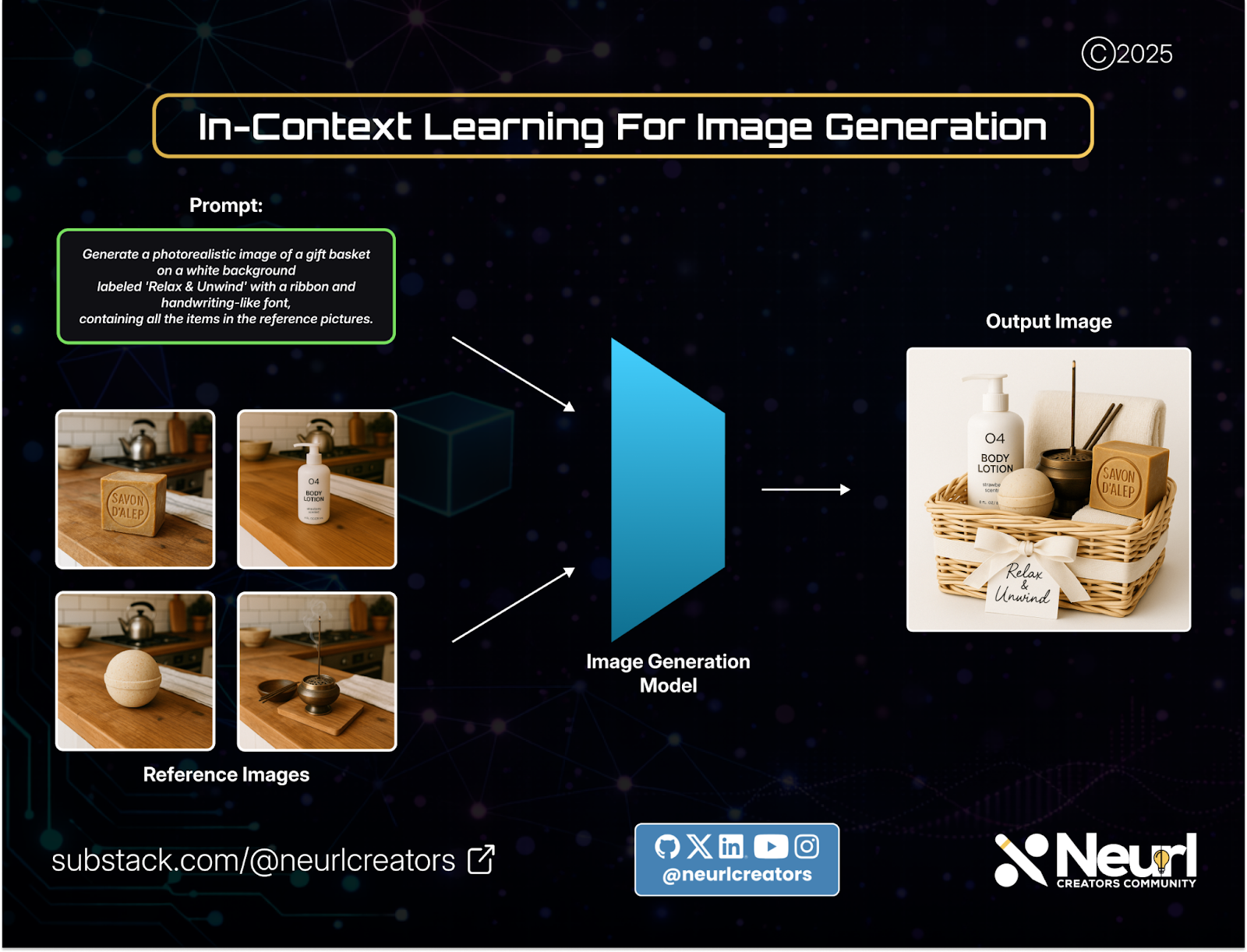
Given multiple reference images and a text prompt, an image generation model can produce a new image that blends both the prompt and the provided images. This is the model learning in-context.
Image generation models like Nano Banana showed how we can combine several images that are in-context to create blended images, change scenery, and even mix up styles. No fine-tuning is needed for a specific task.
This ability of image generation models to learn from context is what allows us to combine them with RAG to form RAGE.

Automating the Process: Combining RAG with Image Generation
RAG was introduced in the paper Retrieval-Augmented Generation for Knowledge-Intensive NLP Tasks, and it marked a major shift in how we build language-model systems.
The core idea was simple: instead of relying only on a model’s internal knowledge, we retrieve relevant external information and use it directly in-context to improve generation.
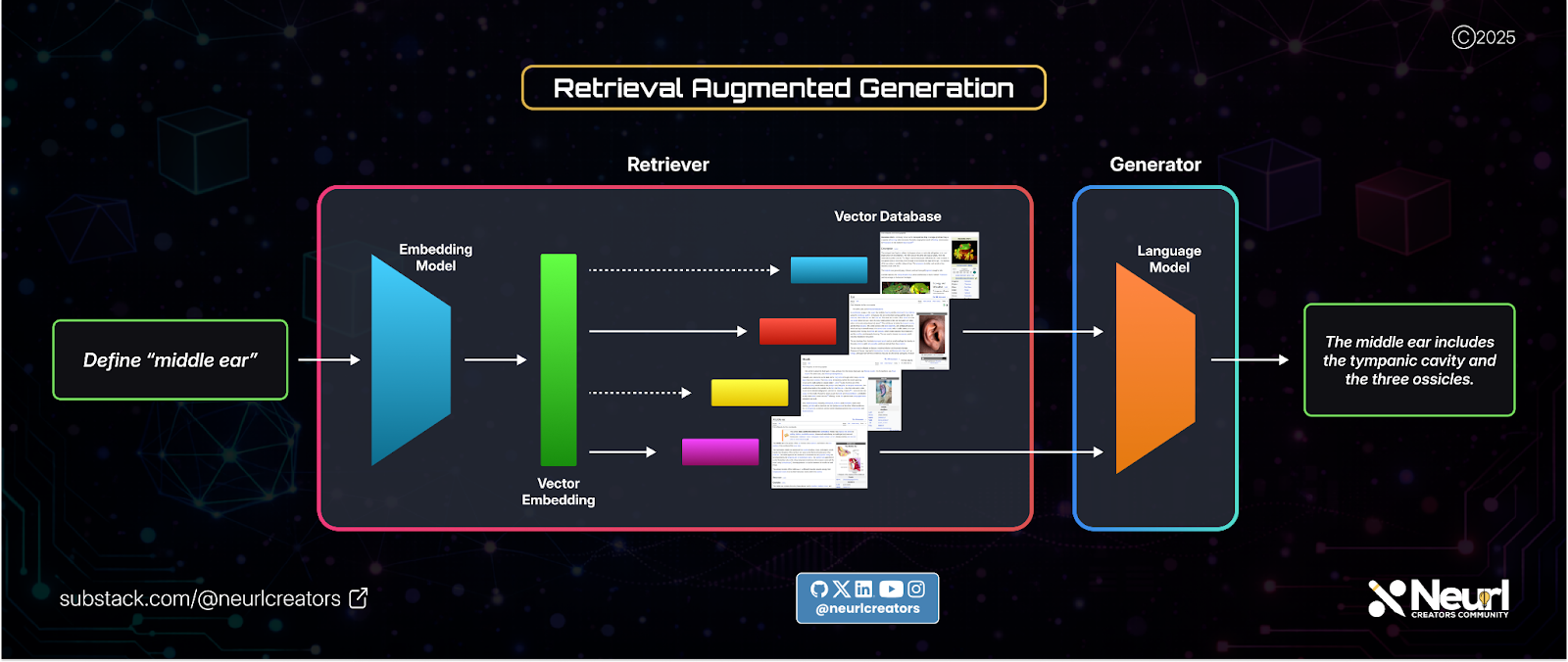
At a high level, RAG automates in-context learning for language models and consists of two stages:
Indexing
Retrieval
The same idea can be applied to image generation, which leads us to RAGE.
Image Indexing
To apply RAG to images, we first need a way to index them. Each image must be converted into a vector representation.
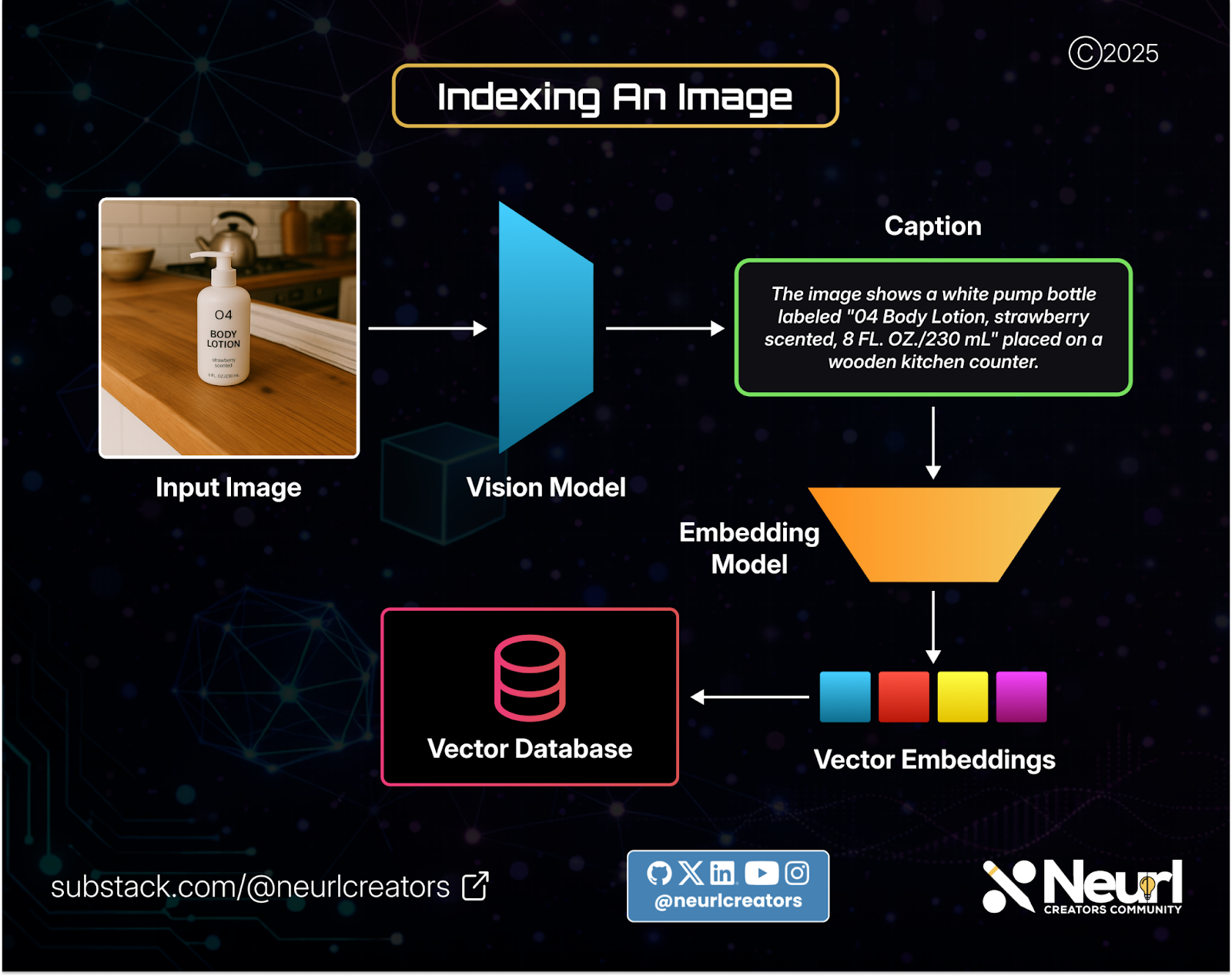
One approach is to generate a text description of an image using a vision model, then pass that description through an embedding model and store the resulting vector representation in a vector database.
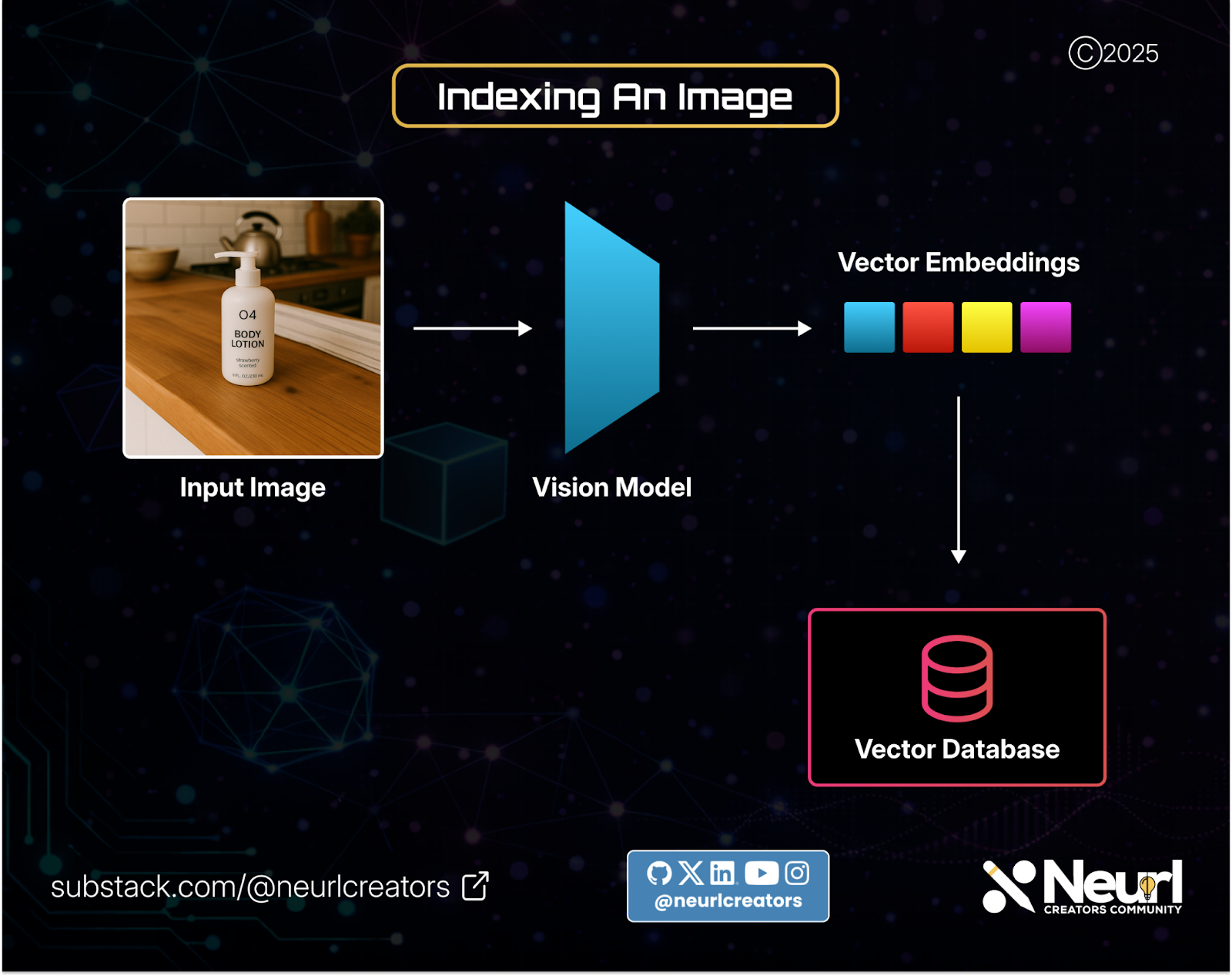
Another option is to use a vision encoder that generates embeddings directly from images, skipping the text step entirely.
This process is repeated for as many images as needed, building an image index that can later be queried.
Know someone who might need this? Share this post with your network and friends!
Image Retrieval and Generation
Once indexing is complete, the system moves to the retrieval and generation stage.
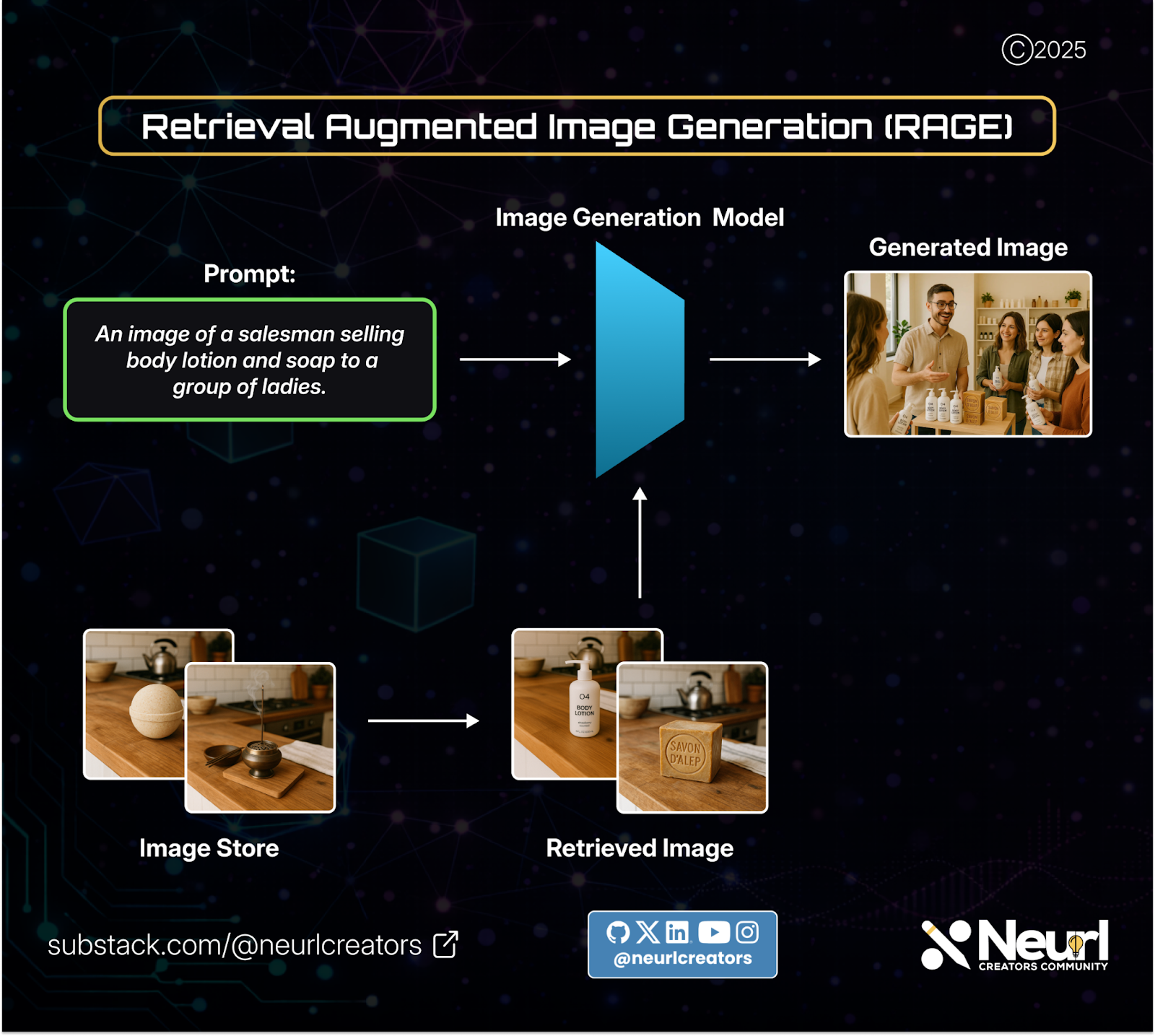
Here, a user provides a text prompt. From that prompt, the system retrieves the images from the vector database that best match the user’s prompt.
These retrieved images, together with the original prompt, are then provided in-context to an image generation model, which uses both the text and visual context to generate a new image.
This end-to-end flow is what defines RAGE: combining retrieval with in-context image generation to automate what would otherwise be a manual process.

Real-World Implementation
Now that we’ve covered the core idea behind RAGE, let’s walk through a working demo application that brings it to life.
The video above shows a fully functional RAGE application. The workflow is simple:
The user provides a text prompt.
Images that match the prompt are retrieved from the image store.
The user selects one or more images from the retrieved results.
Once selected, the user clicks Generate to create a new image.
The demo is built using ChromaDB as the vector database and OpenAI GPT-Image as the image generation model.
Each part of the stack is modular, making it easy to swap components and customize the overall experience.
Explore the full implementation on GitHub: RAGE
Use Cases for RAGE
Let’s explore some real-world ways RAGE can be used in practice.
Marketing and Creative Asset Generation
RAGE can be used to generate new marketing images from an existing catalogue of brand assets. Instead of starting from scratch, the system retrieves relevant product images, brand visuals, or campaign materials and uses them as context to generate fresh content.
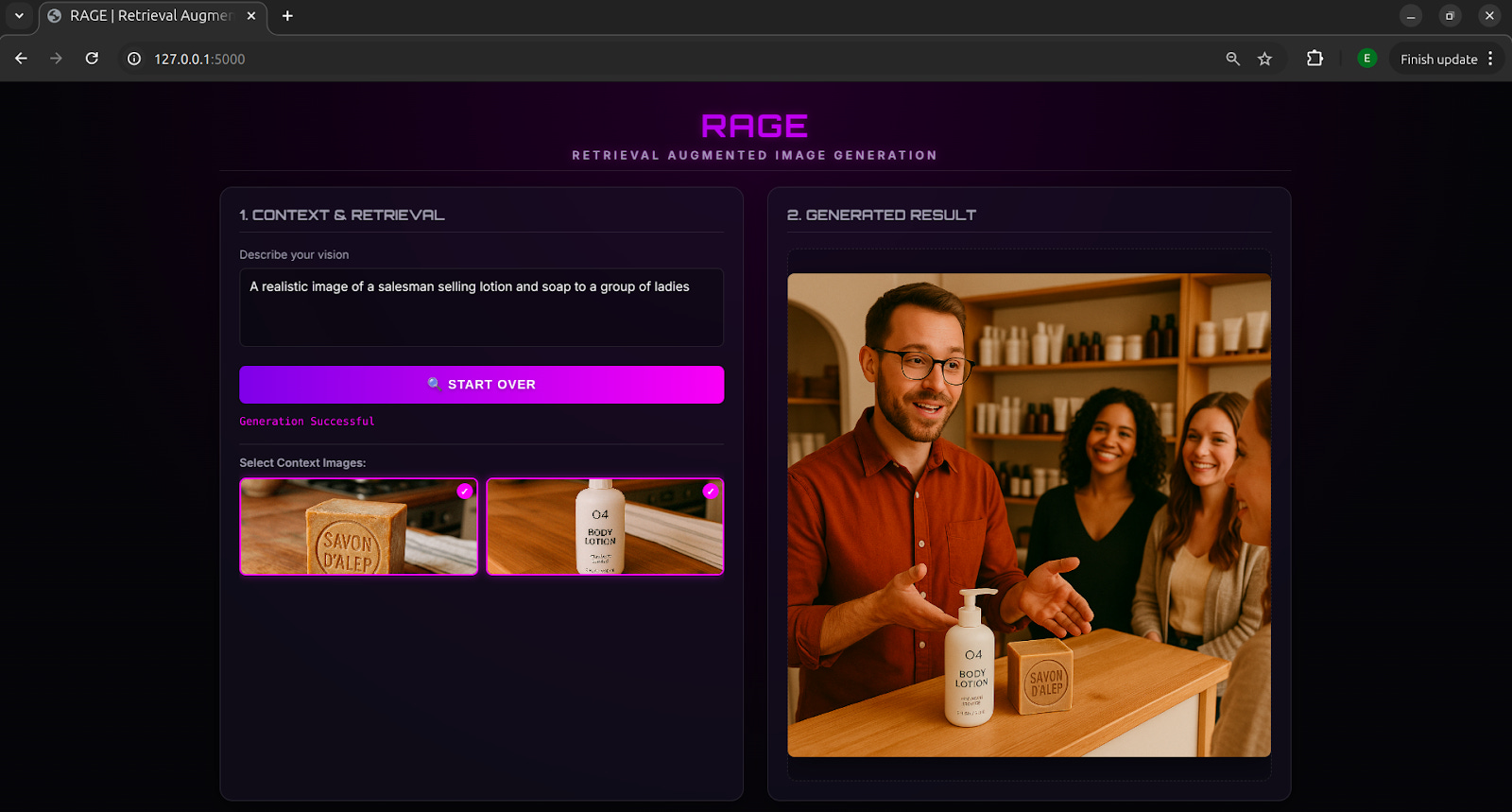
In the example above, when the user prompted, “A realistic image of a salesman trying to sell lotion and soap to a group of ladies,” the retriever pulled images of the lotion and soap from the image store. These retrieved images were then used in-context to generate a scene where the salesman and the ladies are holding the same lotion and soap. Without those in-context images, the model would have generated completely different products that would not match the brand.
Image Editing and Enhancement
RAGE can also be used to retrieve and edit existing images using natural language prompts. This includes tasks such as changing backgrounds, adjusting scenery, modifying objects, enhancing image quality, or combining multiple images.
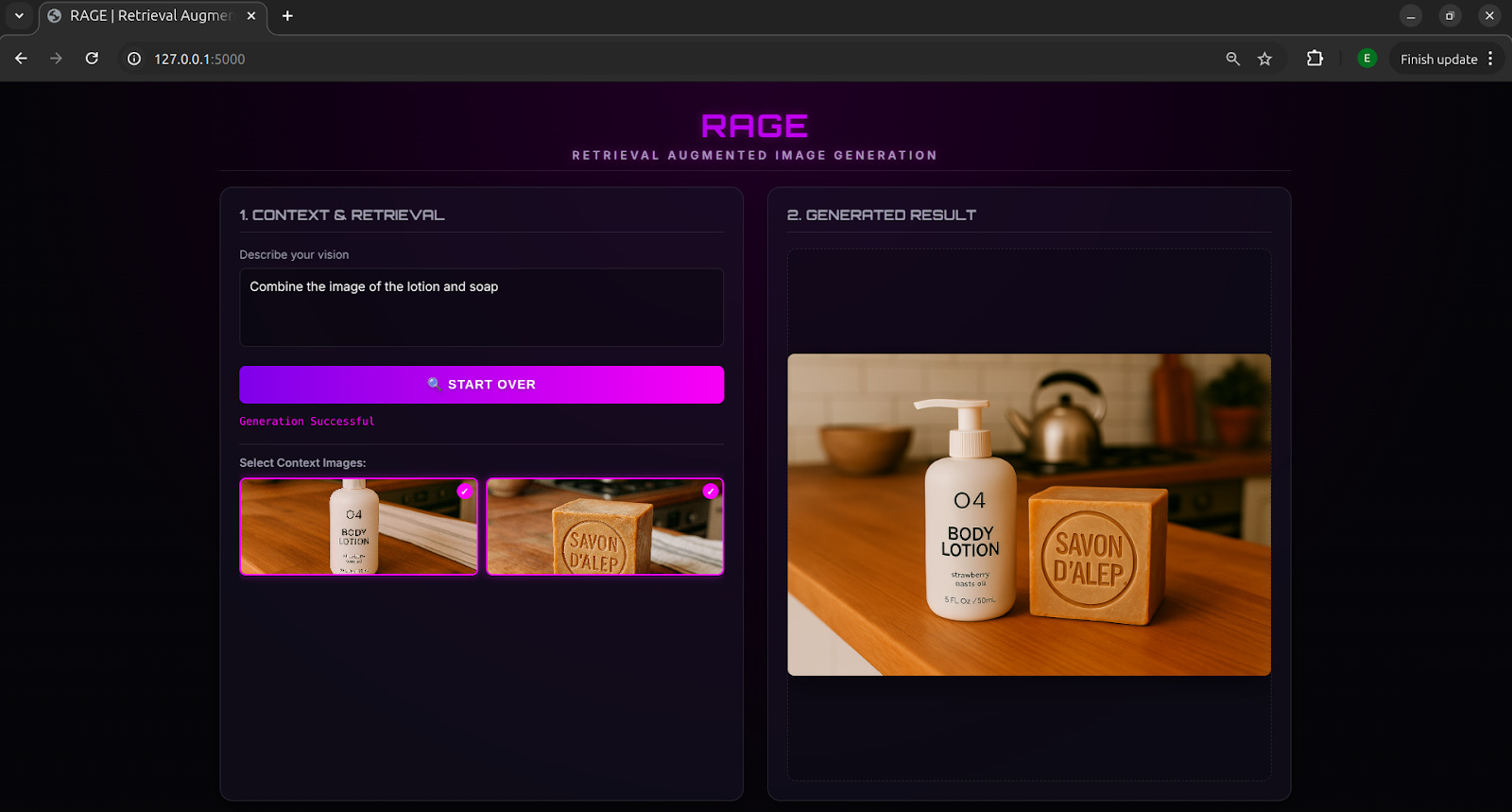
Because the model has access to the original images in-context, edits stay grounded in the source material. In the example above, we prompted RAGE with “Combine the image of the lotion and soap,” which retrieved the relevant images and merged them into a single generated output.
Need creative, high-quality technical content? Happy to chat! Book a call with our Creative Engineers👇🏾
Style Transfer and Visual Consistency
By storing different visual styles in the image index, RAGE enables style transfer without any fine-tuning. The system retrieves images that represent a specific aesthetic and applies that style to new generations.
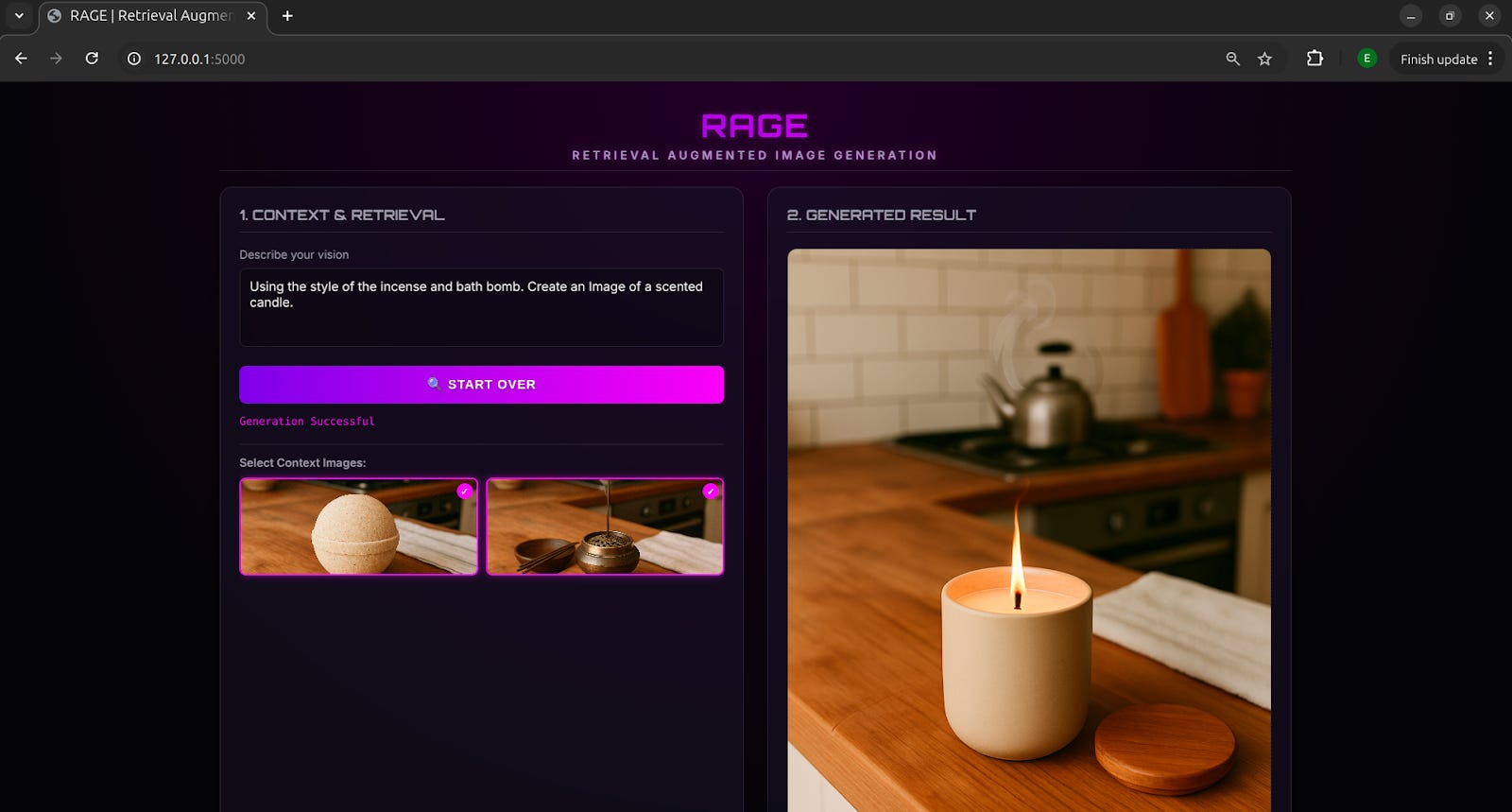
This is especially useful for maintaining visual consistency across illustrations, artwork, or branded assets. In the example above, a scented candle image was generated to match the same style as the retrieved images.
Product and Design Prototyping
Design teams can use RAGE to explore new product ideas by retrieving existing designs, sketches, or reference images. This allows for rapid experimentation while staying aligned with previous designs and constraints.
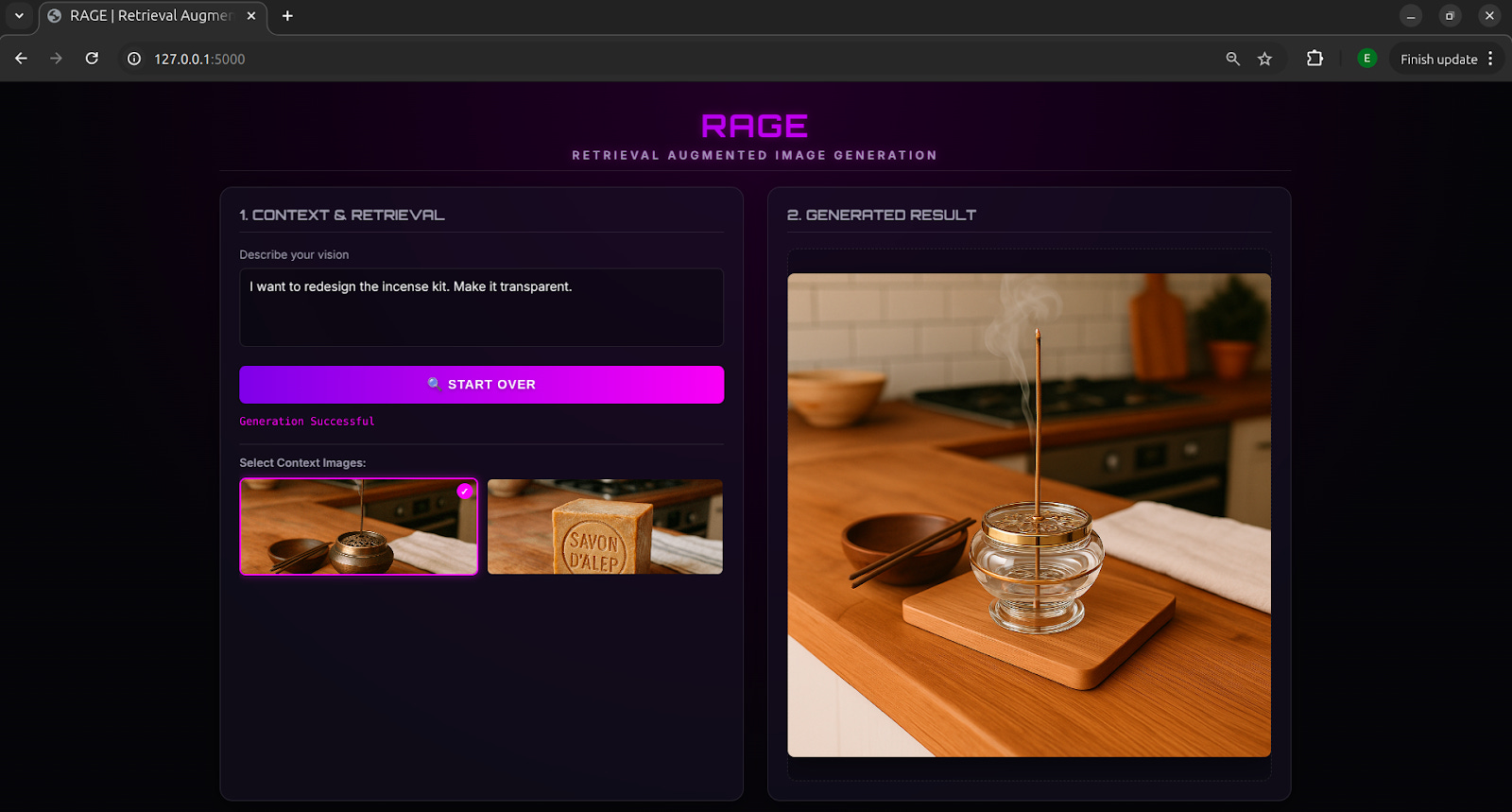
In the example above, we experimented with a transparent product design by retrieving an incense kit from the image store and generating a transparent version of the kit to visualize how it might look.
Join the conversation and share your experiences in the comments below!
Conclusion
RAGE takes the core idea of RAG, retrieving relevant context and using it in generation, and applies it to images. Instead of manually feeding reference images into an image generator, RAGE automates the process by searching a database of visuals and using the most relevant ones to guide generation. This makes image generation more consistent, controllable, and scalable.
The use cases in this article are just a glimpse of what’s possible when Retrieval Augmented Generation is combined with image generation. By connecting an image generation model to an image store, you can unlock entirely new creative possibilities.
Subscribe to The Neural Blueprint👇🏾 for hands-on guides! 🫡 Follow us on YouTube, X, and LinkedIn.